- Create your free Amazon tier at http://aws.amazon.com/free/
- Choose Asia Pacific (Sydney) in the top right corner of the web page, as a web application hosted in the US should be less responsive.
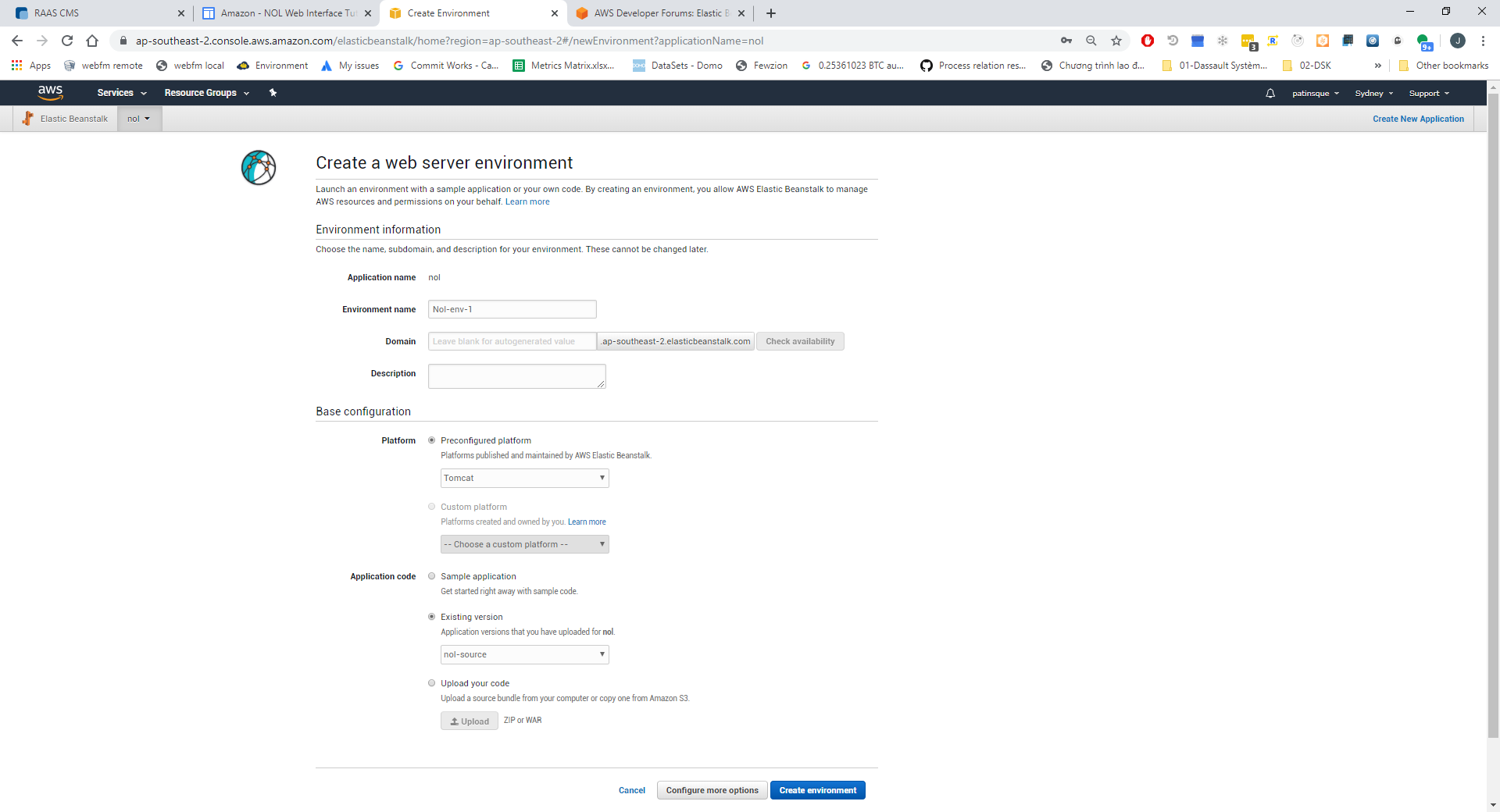
- Choose the EBS (Elastic Beanstalk) service and create a new Web server environment:
- choose Tomcat as preconfigured platform
- upload raascms.war as war-file
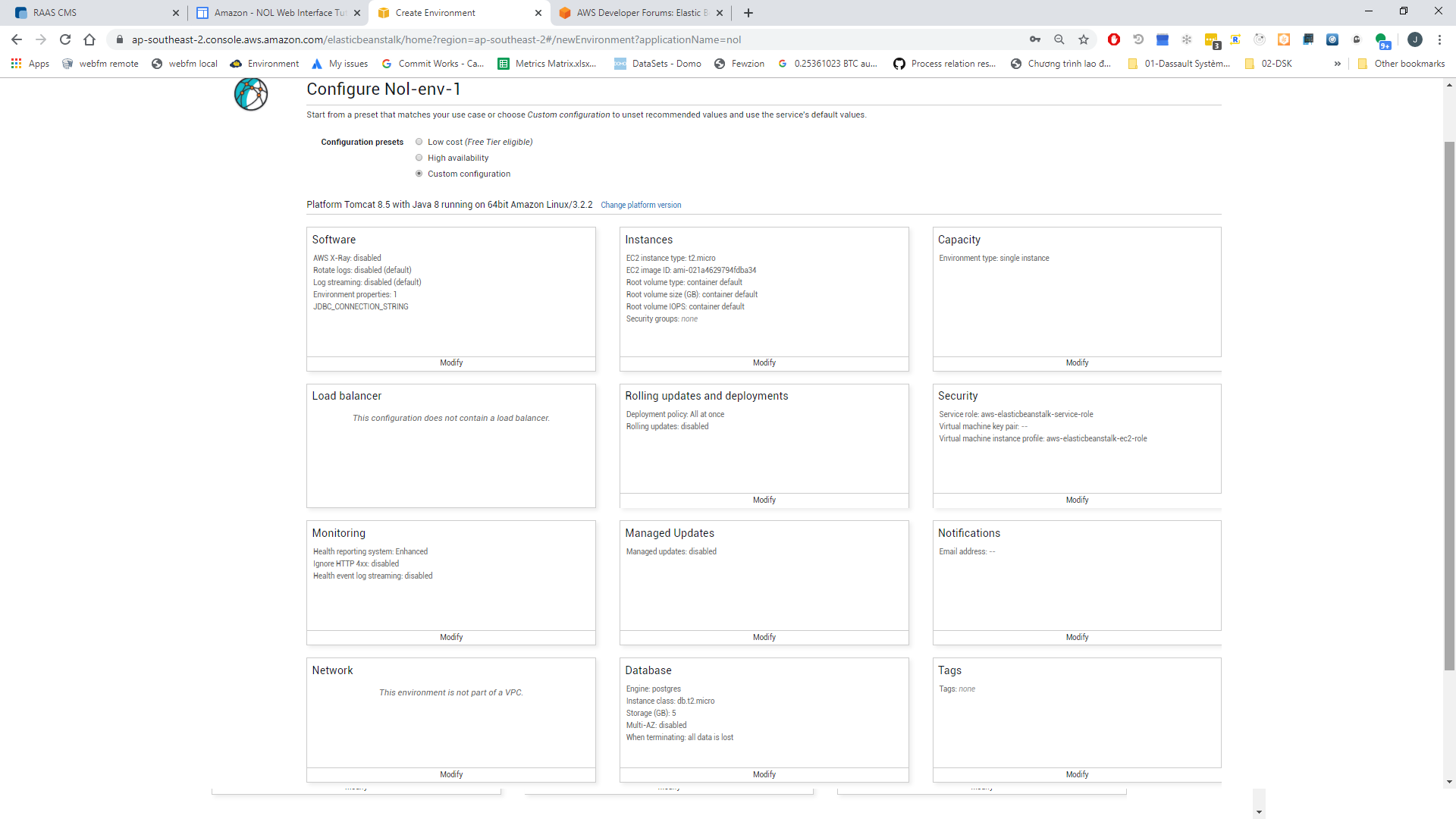
- Do some Custom configuration, especially choose postgres as database:
 - You have finally launched the NOL or free RAASCMS server, but it is has no content. When you log in as Operator, you can add content from a ZIP file by File | Administrator | Load database from zip file.
- The process of configuring Blender as geometry generator in Amazon is too complex to be described here and is also not open source. However, to view IFC files, you can add a special prepared zip file from your local server deployment that has undergone the new Misc | Build WebGL Representations in SubFolders command to create geometry files in all folders.
- Another way would be to upload adequate Collada, Wafefront, or a JSON file, exported from Blender, manually!
|
|