- Revit plugin: I dont see the Add-Ins tab, or I dont see the Consult National Object Library menu item in the under External Tools of the Add-Ins tab.
- Assure you copied the file
C:\bim\NOLClient\revit\NationalObjectLibrary.addin to C:\ProgramData\Autodesk\Revit\Addins\[YOUR REVIT VERSION YEAR]
- Revit plugin: I can invoke the Consult National Object Library command, but the web page which is opened shows some cryptic textual error messages.
- Assure you have Internet Explorer 11 installed.
- Assure you executed
C:\bim\NOLClient\internet_explorer_patch\UseInternetExplorer11.reg
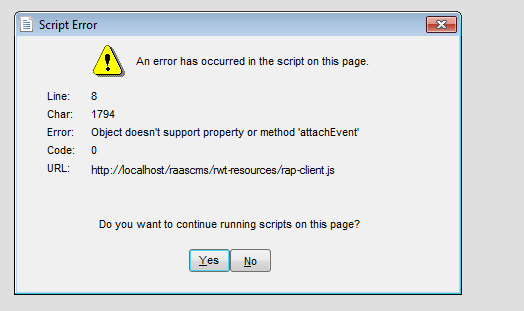
- Revit plugin: I get the following error message when opening the NOL window from within Revit:
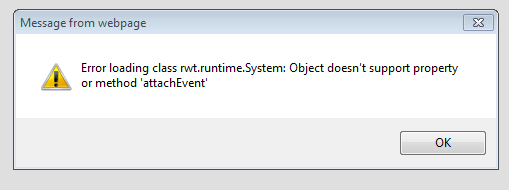 or - You probably forgot to execute
C:\bim\NOLClient\internet_explorer_patch\UseInternetExplorer11.reg. You have to restart Revit after doing this.
- Local NOL server: After I started
update_and_restart.bat, I open http://localhost:80/raascms/nol but the server is not responding (e.g. you get a The connection has timed out error). - Assure that while effecting the mentioned batch file, Skype is not running (as Skype occupies port 80, be the first one who occupies it!)
- Local NOL server: I can browse
http://localhost:80/raascms/nol and login, but the directories are empty - A NOL server you setup from the scratch has no contents, i.e. no product lines are contained. You can however go to a remote NOL server and login as operator and get the contents via the main menu (left-most button in the toolbar) and do File | Administrator | Save database to ZIP file. Download the ZIP file and apply it to your own local NOL server as operator by clicking File | Administrator | Load database from ZIP file.
|
|