Consider we have a simple chair build up from multiple materials. By default, all parts of the chair are treated as one selectable object by the 3d viewer styled by the IfcFurnishingElement material. To split the chair into different parts with respect to different IFC materials they have been applied in the CAD tool, right click the IFC file and select IFC | Separate IFC Materials: 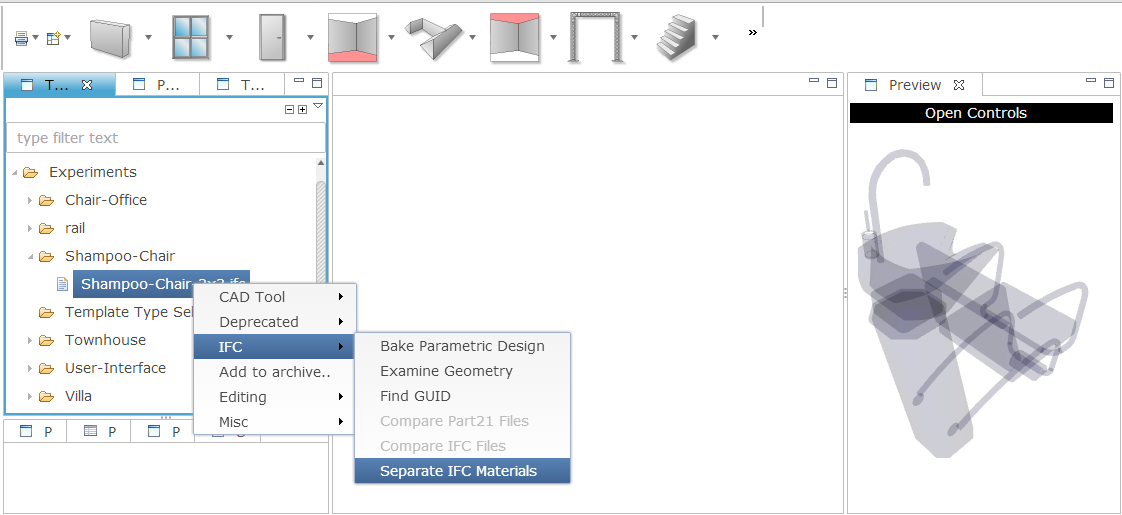 Now, in the same folder, a new IFC file called "index.ifc" is created together with a "default.colorscheme". Double click the later one to open its content in a text editor, and click on the former one to show its geometry: As you can see, the different IFC materials now came across in the 3d viewer. Note however that index.html is not a "proper" IFC file in the sense that it actually contains five IFC chairs, one for each material. What you can do next is to change the colors in the text box. Here we apply a texture to the 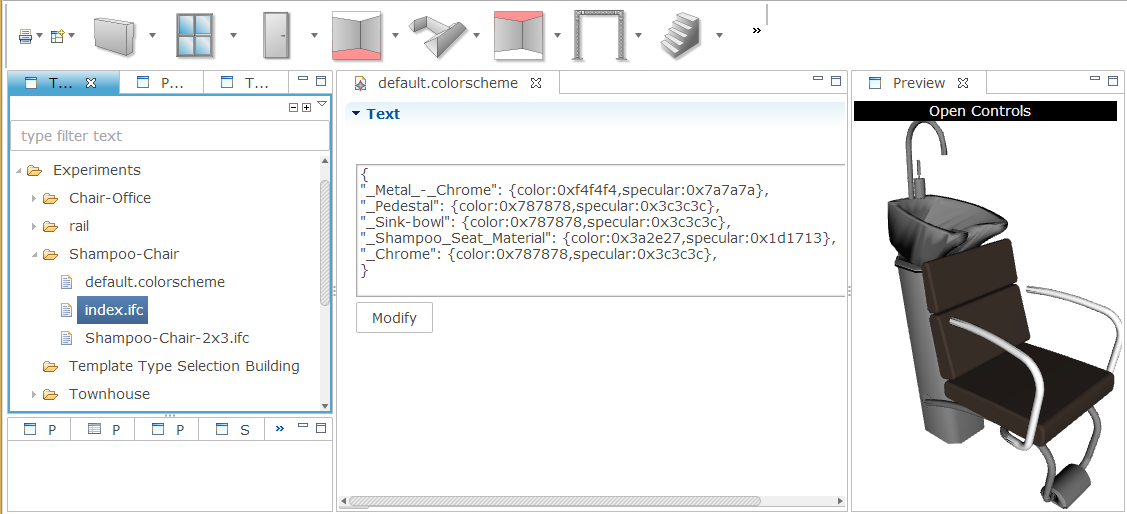 _Shampoo_Seat_Material material (the referenced PNG file must be in the same folder or an absolute URL):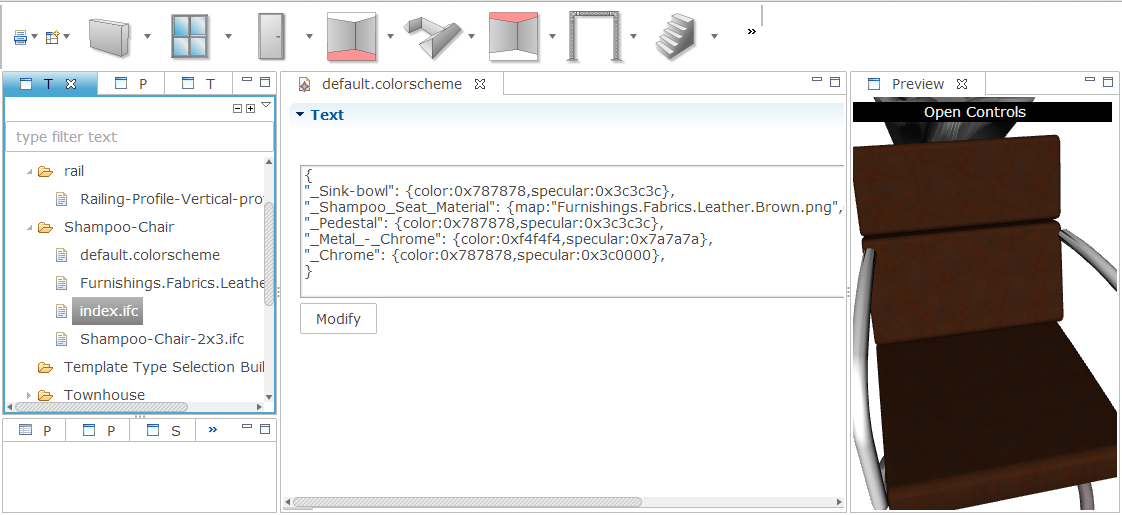 Note that you can find out which material is assigned to one object by clicking it in the 3d viewer, and click Open Controls | Selection Info: 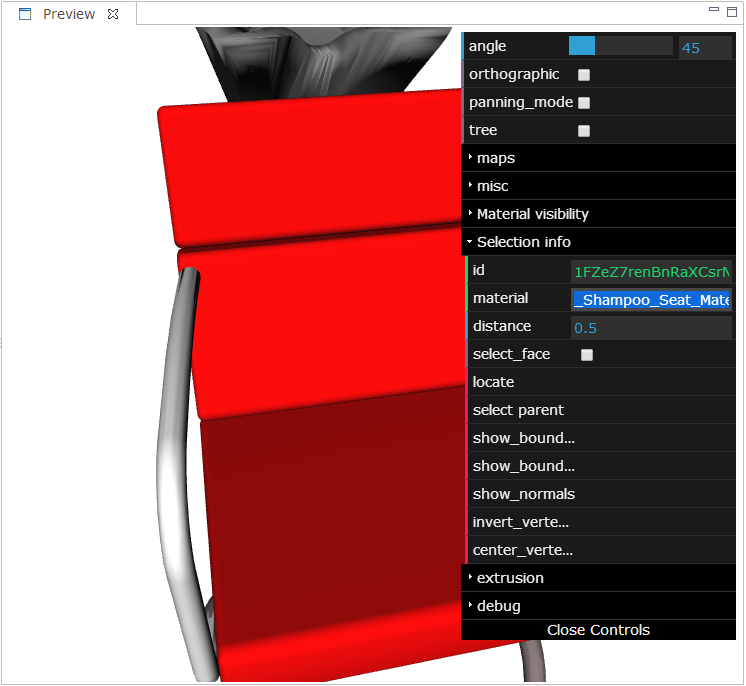 |
User Stories > Styling WebGL materials >